
Itemize the whole receipt
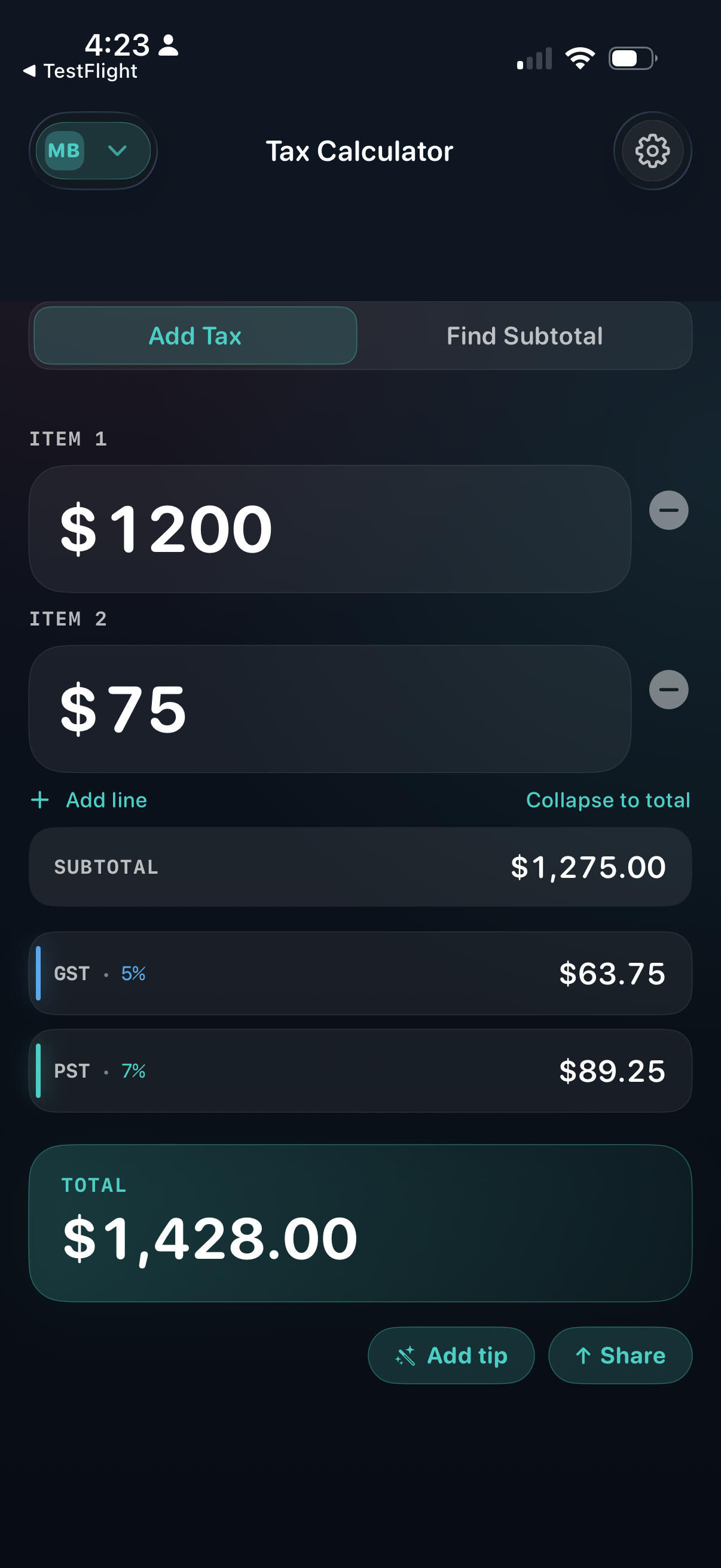
One line per product, service, or charge. The subtotal and tax breakdown recalculate as you go. When you’re done, Collapse to total tucks the lines away and leaves you the answer.
Quotes, receipts, tips, and splits — with the right tax for every province.
GST · HST · PST · QST · RST
Download on App StoreFrom a quick HST quote to a full client invoice — handled in one app, with the math correct for whichever province you’re in.
One line per product, service, or charge. The subtotal and tax breakdown recalculate as you go. When you’re done, Collapse to total tucks the lines away and leaves you the answer.
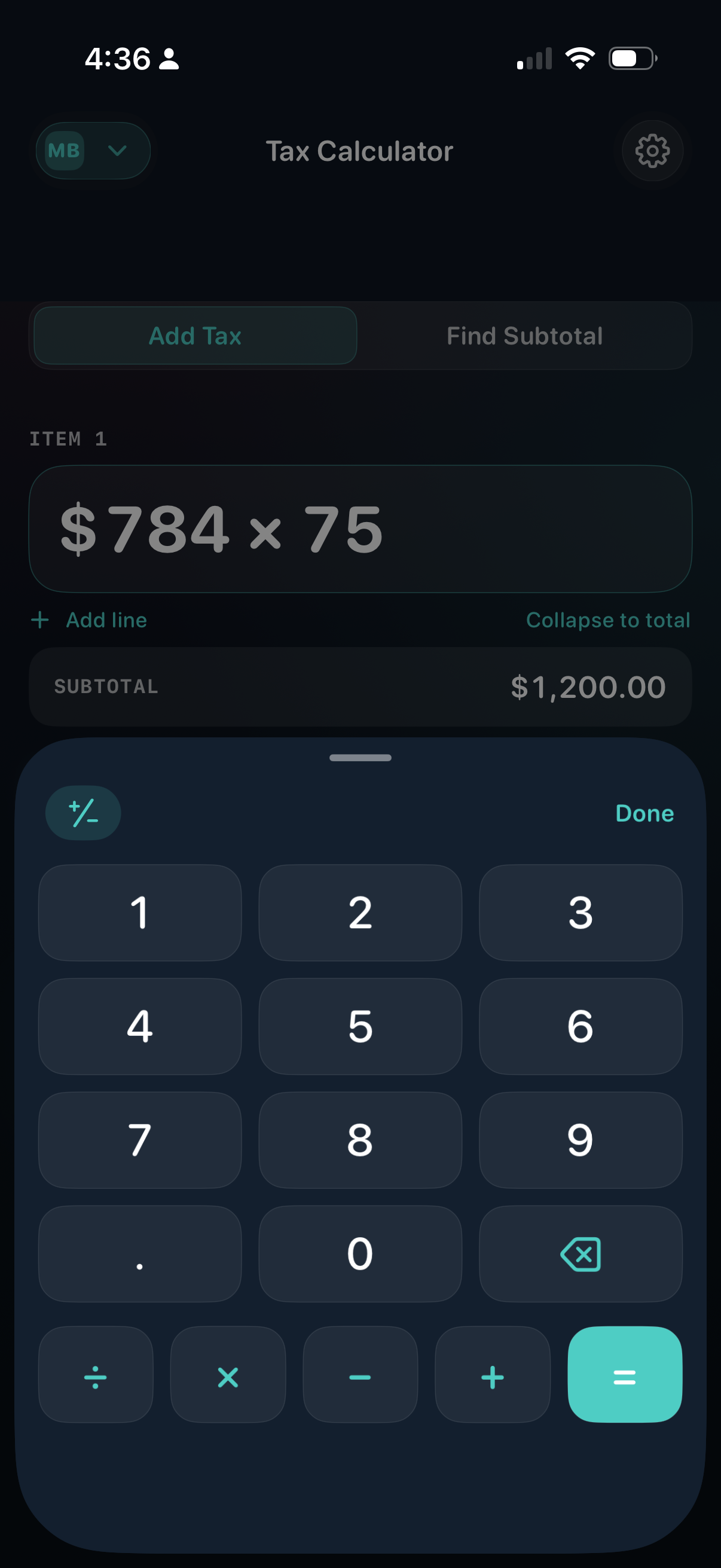
Every line has its own full keypad — operators, sign toggle, instant equals. Do the math right where the number goes, instead of switching to the Calculator app and copying back.
Quoting a job? Start from your price and see the tax-added total. Reading a receipt? Enter the total and find the pre-tax amount — useful when filing expenses.
GST, HST, PST, QST, and RST — applied automatically for whichever province or territory you pick. When a rate changes, an update follows.
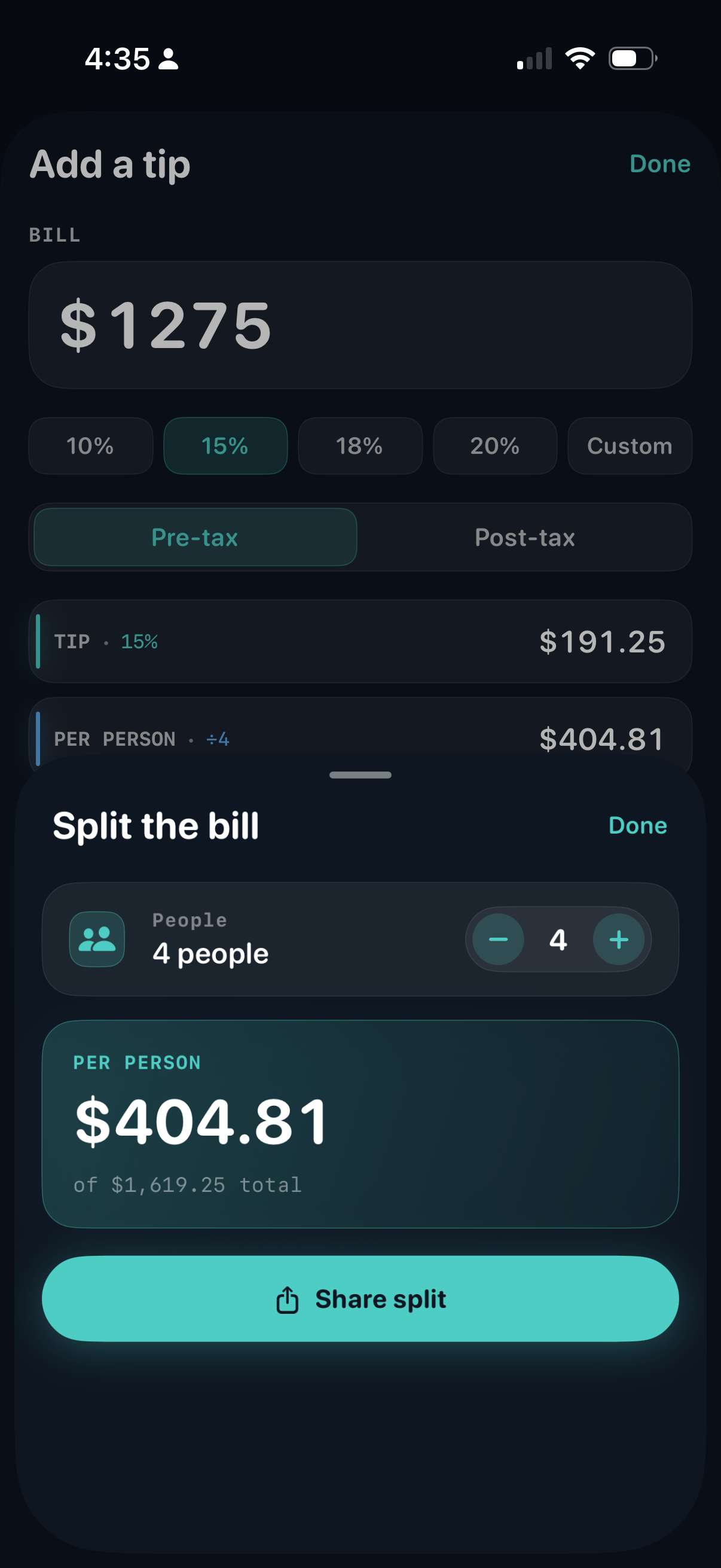
Toggle pre‑tax or post‑tax — yes, that’s a setting, because Canadians tip on the subtotal. Then split across any number of people and share each person’s amount in a tap.
One tap drops the itemized total into Messages, Mail, Notes — wherever you keep records. Perfect for client invoices, expense filing, or settling a check between friends.
Build up the bill with a keypad on every line, see the tax break out live, then tip and split — without leaving the app.
Pick yours and the right combination of GST, HST, PST, QST, or RST is applied automatically.
Yes — that’s the point. Tap Add line for as many items as you need; the subtotal and tax breakdown update live. When the receipt is done, Collapse to total tucks the lines away so you can share or screenshot the final number cleanly.
No. Every line has a full keypad with all four operators, a sign toggle, and an equals key — so you can work out a quantity-times-price or a quick adjustment right where the number goes. No copy-pasting back from the Calculator app.
It changes whether the tip percentage is applied to the subtotal or to the total-with-tax. Most Canadians tip on the pre-tax amount; American convention is the opposite. The toggle lets you pick — the math follows.
Yes. From the Tip screen, tap Split, set the number of people, and the app shows what each person owes. Share split sends it through Messages or Mail so no one has to do the math at the table.
Add Tax — you know the pre-tax price, the app adds the right taxes and shows the total. Use it for quotes and out-the-door pricing.
Find Subtotal — you have a receipt with only the total, the app works backwards to the pre-tax amount. Use it when you’re filing expenses.
Yes. Every province and territory is covered with the right combination of GST, HST, PST, QST, or RST. When a government changes a rate, an update follows.
Yes — one universal purchase covers iPhone, iPad, and Mac, with the layout tuned for each.
Yes to offline, no to tracking. The rates ship with the app and your calculations run entirely on your device. We don’t run analytics, don’t use accounts, and nothing you enter is sent to our servers.
The one network call is for the single banner ad — supplied by Google AdMob and configured for non-personalized ads only. We deliberately don’t ask for permission to track you, so iOS never shows the “Allow tracking?” prompt for this app, and your IDFA isn’t shared. The full breakdown of what Google does see is in the privacy policy.
Please tell us — we read every message. Email support [at] fascinative [dot] ca and we'll get back to you.
Bug reports, feature requests, the occasional rate correction, or just to say hi — every message lands in a real inbox.
Email us